Introduction
Smartphones have become an essential part of our daily lives. From personal photos and videos to banking apps, social media accounts, and private messages, our phones store a huge amount of sensitive information. Because of this, keeping your device secure is more important than ever.
Most people rely on traditional security methods such as PIN codes, passwords, fingerprints, or face recognition. While these methods are effective, technology continues to evolve, and users are constantly looking for new and innovative ways to protect their devices.
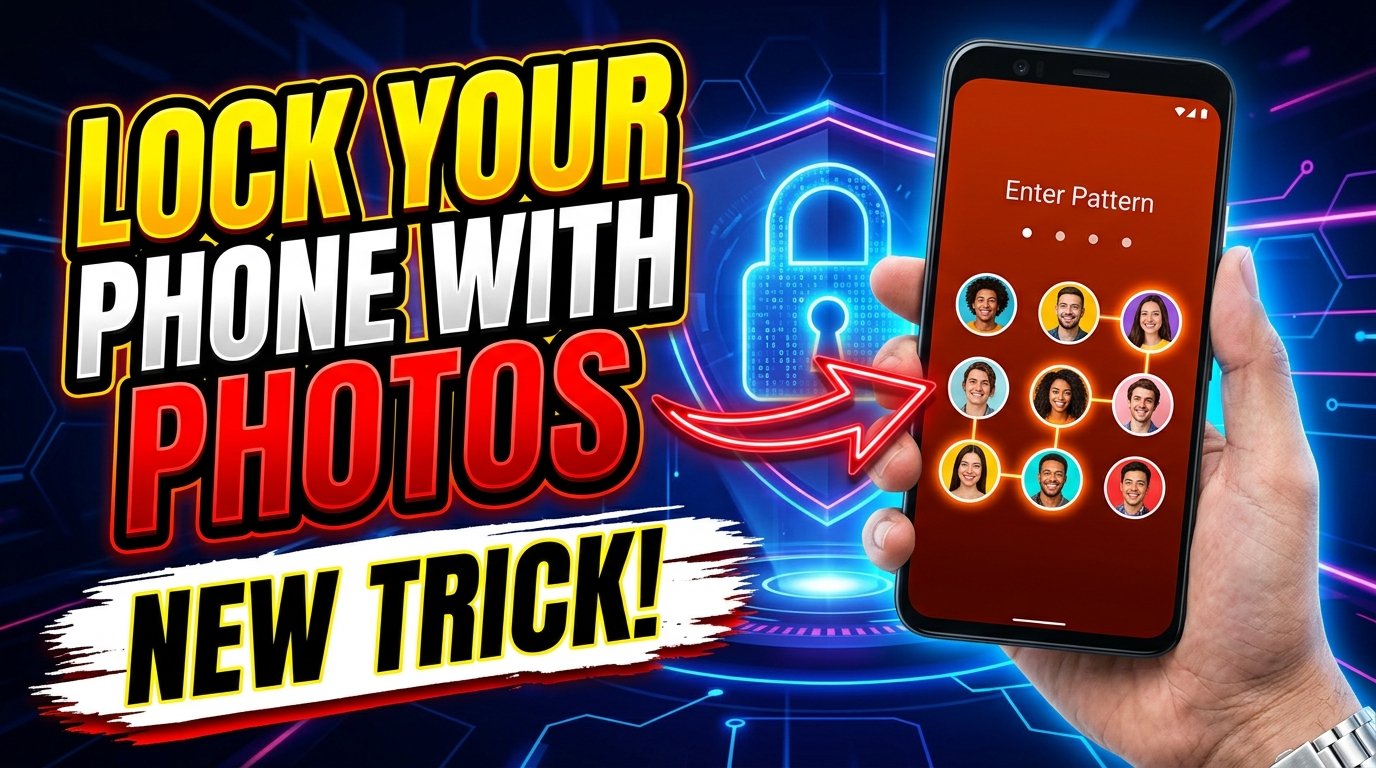
One of the latest trends gaining attention is the ability to lock your phone using photos. This unique security trick adds a personalized layer of protection that can make your device more secure and more interesting to use.
In this guide, you’ll learn how photo-based phone locks work, their benefits, potential drawbacks, and how to set them up on your Android device.
What Is a Photo Lock?
A photo lock is a smartphone security feature that uses images instead of traditional passwords or PIN codes. Depending on the application, users may unlock their device by:
- Selecting specific photos in the correct order
- Tapping certain areas of an image
- Matching image patterns
- Using a custom photo gesture
- Identifying personal images from a collection
Unlike ordinary PINs, photo locks provide a visual authentication method that can be harder for others to guess.
For example, instead of entering “1234” or “2580,” you may need to tap specific points on a favorite family photo to unlock your device.
Why Traditional Passwords Are Not Always Enough
Although passwords remain popular, they have several weaknesses:
Easy to Guess
Many users choose predictable passwords such as:
- 1234
- 0000
- Birth dates
- Phone numbers
These combinations are often easy for attackers to guess.
Password Fatigue
People often struggle to remember multiple passwords across different devices and services.
Shoulder Surfing
Someone standing nearby may observe your PIN or pattern while you unlock your device.
Reused Passwords
Many users use the same password across multiple platforms, increasing security risks.
Photo-based security attempts to solve some of these issues by introducing a more personalized authentication method.
How Photo Locks Work
Different apps use different technologies to implement photo-based security.
Point Selection Method
The user selects multiple secret points on a photo.
For example:
- A point on a tree
- A point on a building
- A point on a person’s face
To unlock the device, the user must tap the same points in the correct sequence.
Photo Sequence Method
Users select a series of images.
During authentication, they must choose those images in the correct order.
Image Pattern Method
Users create a visual pattern using objects inside a picture.
This pattern acts similarly to an Android lock pattern but is based on image locations.
Custom Gesture on Photos
Some apps allow users to draw gestures on top of a selected image.
Only the correct gesture unlocks the device.
Benefits of Locking Your Phone with Photos
Enhanced Security
Photo-based locks create unique authentication methods that are difficult for others to predict.
A hacker may guess a common PIN, but guessing multiple secret points on a photo is significantly harder.
Personalized Protection
Every user can choose a completely different image.
This makes the security setup highly personalized.
Easy to Remember
Many people find visual memories easier to recall than numerical passwords.
Remembering positions on a photo may be simpler than remembering a long password.
Protection Against Casual Snooping
Friends, coworkers, or family members may find it difficult to unlock your device without knowing your chosen image points.
Fun User Experience
Photo locks add an interactive and enjoyable element to smartphone security.
Many users prefer them because they feel more modern and engaging.
How to Set Up a Photo Lock on Android
Setting up a photo lock is relatively simple.
Step 1: Open Google Play Store
Search for:
- Photo Lock Screen
- Photo Pattern Lock
- Image Password Lock
- Gesture Lock Screen
Choose a trusted application with good reviews.
Step 2: Install the App
Download and install your preferred photo lock application.
Step 3: Select a Photo
Choose a personal image from your gallery.
Good options include:
- Family photos
- Landscapes
- Pets
- Travel pictures
Avoid using publicly available images.
Step 4: Configure Secret Points
Select multiple points on the image.
Try choosing areas that are:
- Easy for you to remember
- Difficult for others to guess
Step 5: Create a Backup Method
Always set:
- PIN
- Password
- Fingerprint
This ensures access if the photo lock fails.
Step 6: Test the Lock
Lock your phone and test the setup several times.
Make sure the unlock process works consistently.
Best Practices for Photo Lock Security
Use Personal Images
Avoid famous photos or images downloaded from the internet.
Unique images increase security.
Select Unpredictable Points
Do not choose obvious locations such as:
- Center of the photo
- Large objects
- Brightly colored areas
Instead, use subtle points.
Enable Two-Factor Protection
Combine photo locks with:
- Fingerprint authentication
- Face unlock
- Strong PIN codes
Layered security provides better protection.
Keep Your Software Updated
Regular updates improve security and reduce vulnerabilities.
Avoid Sharing Screenshots
Never share screenshots of your lock image publicly.
Doing so could expose your authentication points.
Advantages Over Pattern Locks
Pattern locks have been popular for years, but they have several weaknesses.
Smudge Attacks
Finger traces on the screen can reveal unlock patterns.
Easy Observation
Observers can sometimes memorize visible patterns.
Limited Combinations
Standard patterns offer fewer combinations compared to image-based point selection.
Photo locks can provide significantly more possible combinations depending on the image complexity.
Potential Drawbacks of Photo Locks
While photo locks are useful, they are not perfect.
App Reliability
Some third-party apps may have bugs or compatibility issues.
Battery Usage
Certain lock screen apps consume additional battery power.
Security Risks
Poorly designed applications may store data insecurely.
Learning Curve
Users may need time to adapt to the new unlocking method.
Are Photo Locks Safe?
The safety of photo locks depends on the application used and the user’s setup.
A high-quality photo lock app combined with:
- Strong backup authentication
- Unique images
- Secret point selection
can provide excellent protection.
However, users should always download apps from trusted developers and read reviews before installation.
Who Should Use Photo Locks?
Photo locks are ideal for:
Privacy-Conscious Users
People who store sensitive information on their devices.
Students
Students can protect educational data and personal content.
Professionals
Business users often handle confidential information.
Content Creators
Influencers and creators can secure social media accounts and private files.
Everyday Smartphone Users
Anyone wanting an extra layer of security can benefit from photo-based authentication.
Future of Smartphone Security
Smartphone security continues to evolve rapidly.
Emerging technologies include:
- AI-powered authentication
- Behavioral biometrics
- Multi-factor authentication
- Voice recognition
- Advanced image-based security
Photo locks represent part of this trend toward more personalized and intelligent security systems.
As technology improves, visual authentication methods may become even more common.
Final Thoughts
Locking your phone with photos is an innovative security trick that combines convenience, personalization, and protection. Instead of relying solely on traditional PINs and passwords, photo-based authentication offers a fresh approach to smartphone security.
By selecting a unique image and carefully choosing secret points, users can create a security system that is both memorable and difficult for others to guess. While photo locks should not completely replace strong passwords and biometric authentication, they can serve as an excellent additional layer of protection.
If you are looking for a smarter and more creative way to secure your Android device, trying a photo lock might be one of the best security upgrades you can make today.