Introduction
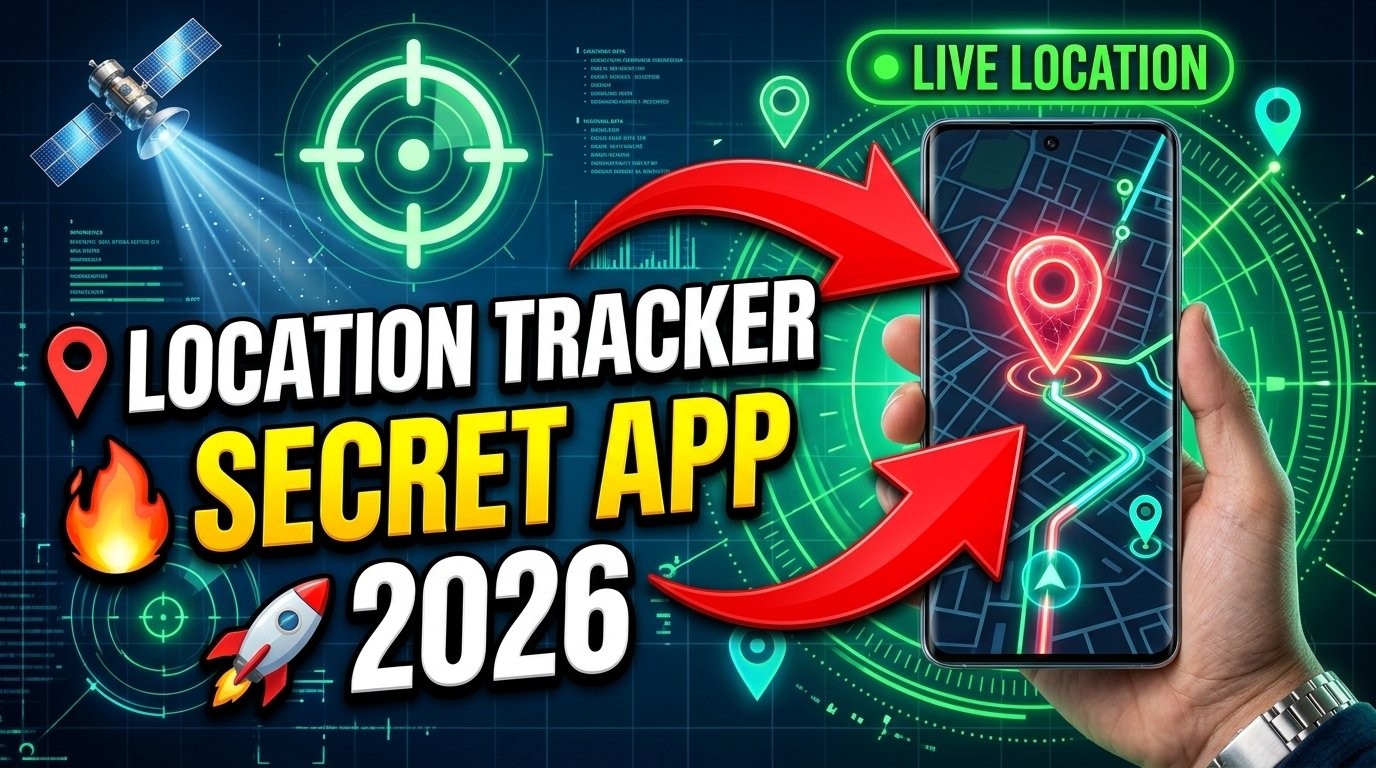
Location tracker apps have become increasingly popular in recent years. In 2026, millions of smartphone users rely on these apps for navigation, family safety, travel planning, device recovery, and location sharing. With the advancement of GPS technology and mobile networks, location tracking has become more accurate and accessible than ever before.
However, while location tracking apps offer many benefits, they also raise important questions about privacy, security, and responsible use. Understanding how to use these apps correctly can help protect your personal information while still enjoying their useful features.
In this guide, we’ll explore what location tracker apps are, how they work, their benefits, potential risks, and the best practices for using them safely and responsibly.
What Are Location Tracker Apps?
Location tracker apps are mobile applications that use GPS, Wi-Fi, Bluetooth, and cellular networks to determine a device’s location.
These apps can help users:
- Find lost devices
- Share live locations with family members
- Track travel routes
- Improve navigation
- Enhance personal safety
- Monitor business fleets
Most modern smartphones include built-in location services that work alongside these applications.
How Do Location Tracker Apps Work?
Location tracking technology combines multiple systems to determine a device’s position.
GPS Technology
Global Positioning System (GPS) satellites provide accurate outdoor location data.
Wi-Fi Networks
Nearby Wi-Fi signals help improve location accuracy.
Mobile Towers
Cellular towers assist when GPS signals are weak.
Bluetooth Technology
Bluetooth can provide short-range positioning information.
By combining these technologies, location apps can provide real-time location updates.
Benefits of Location Tracker Apps
Family Safety
Many families use location-sharing apps to stay connected.
Benefits include:
- Knowing when family members arrive safely
- Coordinating travel plans
- Improving emergency response
Finding Lost Devices
Location tracking can help users locate misplaced smartphones, tablets, and other connected devices.
This feature is especially useful if a device is lost or forgotten.
Navigation Assistance
Many location-based apps provide:
- Turn-by-turn directions
- Traffic updates
- Route planning
- Nearby location suggestions
Travel Convenience
Travelers can use location apps to:
- Explore new cities
- Find nearby services
- Share travel updates
Business Applications
Companies often use location tracking for:
- Delivery management
- Fleet monitoring
- Employee coordination
- Route optimization
Why Privacy Matters
Although location tracker apps offer convenience, location data is highly sensitive information.
Your location history may reveal:
- Daily routines
- Work locations
- Travel habits
- Frequently visited places
Because of this, protecting location privacy is extremely important.
Best Practices for Safe Location Tracking
Use Trusted Applications
Always download location apps from reputable sources.
Before installing:
- Read reviews
- Check ratings
- Verify developer information
Trusted apps are more likely to follow proper security standards.
Review App Permissions
Many apps request location access during installation.
Always review permissions carefully.
Choose only the permissions necessary for the app’s intended purpose.
Limit Background Tracking
Some applications continuously track location in the background.
To improve privacy and battery life:
- Disable unnecessary background access
- Use location services only when required
Share Location Only with Trusted People
Live location sharing can be useful, but it should only be shared with people you trust.
Regularly review who has access to your location information.
Keep Apps Updated
Developers frequently release updates that include:
- Security improvements
- Bug fixes
- Privacy enhancements
Keeping apps updated helps maintain better protection.
Understanding Location Permissions
Modern smartphones offer several location permission options.
Always Allow
The app can access location continuously.
Allow While Using the App
Location access is granted only when the app is open.
Ask Every Time
The device requests permission whenever access is needed.
Deny Access
The app cannot access location data.
For most users, “Allow While Using the App” provides a good balance between functionality and privacy.
Risks of Improper Location Sharing
Privacy Exposure
Sharing location publicly may reveal sensitive personal information.
Unwanted Tracking
Unauthorized access could allow others to monitor your movements.
Data Collection Concerns
Some apps may collect additional information for analytics or advertising purposes.
Security Risks
Poorly secured applications may expose user data.
How to Protect Your Location Data
Disable Location When Not Needed
Turning off location services can reduce unnecessary tracking.
Use Strong Account Security
Enable:
- Strong passwords
- Two-factor authentication
- Device security features
Review Privacy Settings Regularly
Check:
- Shared contacts
- Location permissions
- App access settings
At least once every few months.
Avoid Public Location Sharing
Avoid posting live locations publicly on social media platforms.
Location Tracking for Parents
Many parents use location-sharing apps to monitor children’s safety.
Responsible usage includes:
Transparency
Children should understand why location sharing is enabled.
Safety Focus
Tracking should prioritize safety rather than constant surveillance.
Privacy Respect
Balance safety needs with personal privacy.
Location Tracking in Emergencies
Location services can be extremely valuable during emergencies.
Benefits include:
- Faster assistance
- Accurate location reporting
- Improved emergency response
Many emergency services now support enhanced location technology.
Battery Impact of Location Tracking
Continuous GPS usage may increase battery consumption.
To improve battery life:
- Disable unnecessary tracking
- Use battery optimization settings
- Close unused apps
Modern smartphones are becoming more efficient, but location services still consume power.
Common Myths About Location Tracking
Myth 1: GPS Always Tracks You
GPS itself only receives satellite signals.
Tracking usually occurs when apps access and share location data.
Myth 2: All Apps Need Constant Location Access
Many apps function perfectly with limited location permissions.
Myth 3: Location Tracking Is Always Inaccurate
Modern GPS systems can provide highly accurate positioning under suitable conditions.
Future of Location Tracking Technology
Location services continue to evolve rapidly.
Future developments may include:
AI-Powered Navigation
Smarter route recommendations.
Improved Indoor Positioning
Better accuracy inside buildings.
Enhanced Privacy Controls
Greater user control over data sharing.
Emergency Response Improvements
Faster location detection during critical situations.
Smart Device Integration
More seamless connectivity across devices.
Responsible Use of Location Tracker Apps
Responsible use means balancing convenience with privacy.
Key principles include:
- Respecting others’ privacy
- Using tracking features transparently
- Limiting unnecessary data sharing
- Reviewing permissions regularly
Technology should enhance safety and convenience without compromising personal privacy.
Final Thoughts
Location tracker apps have become powerful tools for navigation, family safety, travel, and device management. When used responsibly, they can provide valuable benefits while improving everyday convenience.
However, because location information is highly sensitive, users should always prioritize privacy and security. By using trusted apps, limiting unnecessary permissions, and carefully managing location sharing, you can enjoy the advantages of location tracking while protecting your personal information.
Conclusion
Location tracker apps will continue playing an important role in modern smartphone technology throughout 2026 and beyond. Understanding how these tools work and following responsible usage practices can help users stay safe, connected, and informed while maintaining control over their privacy.