Introduction
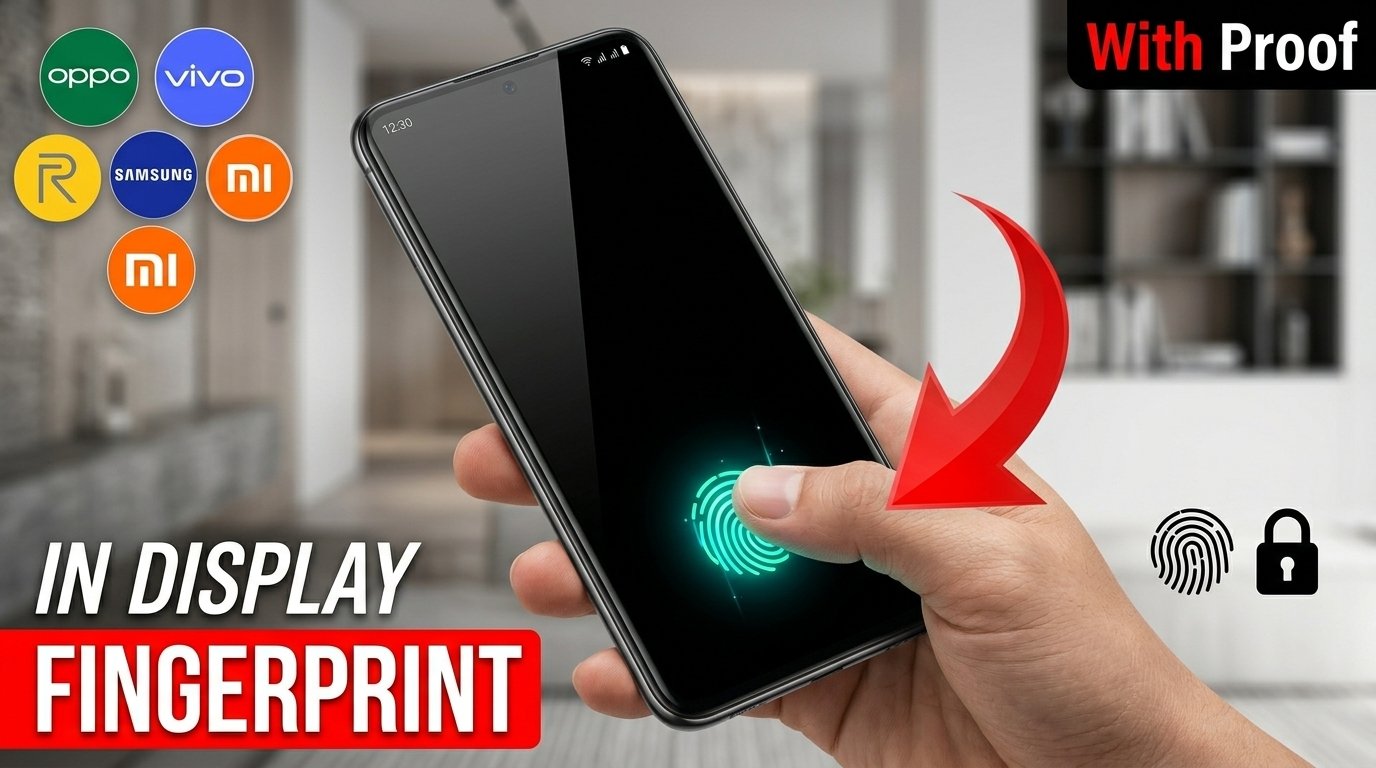
Android smartphones continue to evolve with exciting new customization features, and one trend that has gained massive popularity in 2026 is displaying a fingerprint icon directly on the screen. Many users love the premium look of modern flagship phones that feature an in-display fingerprint scanner animation.
The good news is that you don’t necessarily need an expensive flagship device to enjoy a similar visual experience. With the help of Android customization tools, themes, and lock screen applications, users can add stylish fingerprint animations and fingerprint display effects to their smartphones.
In this guide, you’ll learn how to display a fingerprint icon on any Android phone, the benefits of using fingerprint animations, and the best customization tips for creating a premium smartphone look.
What Is a Display Fingerprint Effect?
A display fingerprint effect is a visual fingerprint icon that appears on your lock screen or home screen.
It often includes:
- Fingerprint animations
- Glow effects
- Neon lighting
- Unlock effects
- Interactive lock screen designs
Many flagship smartphones include these effects as part of their software.
Why Users Love Fingerprint Display Effects
Modern Android users enjoy customizing their devices.
Fingerprint display effects provide:
Premium Appearance
Your phone looks more modern and expensive.
Better Personalization
Users can choose different colors and styles.
Futuristic Design
Fingerprint animations create a high-tech appearance.
Unique Lock Screen Experience
Makes the device stand out from standard Android setups.
Can Any Android Phone Show Fingerprint Effects?
In most cases, yes.
Many Android phones can display fingerprint-style animations through customization apps and lock screen tools.
Supported brands include:
- Samsung
- Xiaomi
- Vivo
- Oppo
- Realme
- Tecno
- Infinix
- OnePlus
- Motorola
- Google Pixel
And many others.
How to Display Fingerprint on Any Android Phone
Follow these simple steps.
Step 1: Open Google Play Store
Search for customization applications such as:
- Fingerprint Animation
- Fingerprint Live Lock Screen
- Fingerprint Effects
- Lock Screen Customizer
Choose applications with positive reviews and good ratings.
Step 2: Install the Application
Download and install your preferred customization app.
Wait until installation completes.
Step 3: Grant Required Permissions
Most apps require:
- Display over apps
- Lock screen access
- Accessibility permissions
Only grant permissions necessary for functionality.
Step 4: Choose a Fingerprint Style
Most customization apps provide multiple designs.
Popular options include:
Neon Fingerprint
Bright glowing effect.
Blue Scanner Style
Inspired by flagship Android devices.
RGB Fingerprint
Color-changing animation.
Cyberpunk Fingerprint
Futuristic tech-inspired design.
Minimal Fingerprint
Clean and simple appearance.
Step 5: Apply the Effect
Tap Apply or Activate.
The fingerprint icon should now appear on your lock screen.
Popular Fingerprint Animation Styles in 2026
Neon Blue
One of the most downloaded styles.
Features:
- Blue glow
- Premium look
- Modern design
RGB Animation
Changes colors dynamically.
Perfect for users who enjoy vibrant themes.
Golden Fingerprint
Luxury-inspired fingerprint effect.
Often paired with black wallpapers.
Cyberpunk Scanner
Popular among gamers and tech enthusiasts.
Features:
- Digital scan effect
- Neon colors
- Futuristic animations
Minimal White Fingerprint
Simple and elegant.
Ideal for professional users.
Benefits of Fingerprint Display Effects
Better Visual Appeal
Makes your smartphone look modern.
Enhanced Customization
Provides more personalization options.
Premium Feel
Gives budget phones a flagship appearance.
Fun User Experience
Unlocking becomes more enjoyable.
Wide Variety of Designs
Thousands of themes and styles are available.
Best Wallpapers for Fingerprint Effects
To maximize the visual impact:
Dark Wallpapers
Fingerprint animations stand out clearly.
AMOLED Wallpapers
Improve battery efficiency and appearance.
Neon Wallpapers
Create a futuristic aesthetic.
Technology-Themed Wallpapers
Perfect for fingerprint scanner designs.
Common Problems and Solutions
Fingerprint Effect Not Showing
Solution:
- Restart the app
- Reapply settings
- Check permissions
Animation Lag
Solution:
- Close background apps
- Update the application
- Restart the device
Battery Consumption
Solution:
- Reduce animation effects
- Use static fingerprint designs
Customizing Your Lock Screen Further
You can combine fingerprint effects with:
Clock Widgets
Modern digital clocks.
Weather Widgets
Real-time weather information.
Notification Styles
Enhanced lock screen alerts.
Dynamic Wallpapers
Animated backgrounds.
These additions create a complete premium lock screen setup.
Is It Safe to Use Fingerprint Animation Apps?
Generally, customization apps are safe when downloaded from trusted sources.
Before installation:
- Read reviews
- Check permissions
- Verify developer reputation
Avoid apps that request unnecessary access to sensitive information.
Who Should Use Fingerprint Display Effects?
Students
Customize devices with modern designs.
Gamers
Create futuristic gaming-themed setups.
Content Creators
Showcase unique Android customizations.
Android Enthusiasts
Experiment with the latest customization trends.
Future of Android Customization
Android customization continues to expand.
Future innovations may include:
- AI-powered lock screens
- Interactive fingerprint animations
- Dynamic unlock effects
- Advanced personalization tools
Users will have even more ways to make their devices unique.
Final Thoughts
Displaying a fingerprint effect on your Android phone is one of the easiest ways to make your device look modern and premium in 2026. With thousands of customization options available, users can choose fingerprint styles that match their personality and preferred design aesthetic.
Whether you prefer a simple glowing fingerprint or a futuristic cyberpunk scanner, Android customization tools make it easy to transform your lock screen in just a few minutes.
Conclusion
Fingerprint display effects remain one of the most popular Android customization trends in 2026. They are simple to install, visually impressive, and suitable for almost any Android smartphone. If you want your phone to stand out and look more premium, adding a fingerprint animation is definitely worth trying.



Display fingerprint
Figarprint